
.svg)

If you are looking at Demostack alternatives, you probably already know what Demostack does well: it clones your product into a safe, high-fidelity demo environment that sales engineers can drive without touching production. The question is whether your team needs that much machinery for every demo, every rep and every stage of the deal.
Here is the position I will defend in this guide: most presales teams do not need one heavyweight demo environment. They need the right demo format for each moment of the sale, a way for AEs to personalize without waiting on an SE, and pricing they can actually see before a sales call. Demostack is a strong fit for a specific slice of that problem. For everything else, one of the eight Demostack competitors below will usually be faster to stand up.
Full disclosure: we build Storylane, which is on this list. I have tried to be fair about where Demostack and the other tools win, and every price and capability below was checked against each vendor's own website in October 2026.
Demostack alternatives at a glance
Here is the short version for anyone comparing alternatives to Demostack. Pricing is listed only where the vendor publishes it; everything else is quote-based.
| Tool | Best for | Standout capability | Pricing model | Where it falls short |
|---|---|---|---|---|
| Demostack (baseline) | Enterprise SE teams that need full product clones | Product cloning plus sandboxes, tours and AI data tools | Pricing not public; quote-based | Heavier setup than tour-based tools; no published price |
| Storylane | Presales and sales teams that need several demo formats in one place | Screenshot, HTML, video and sandbox demos with AI voiceovers and personalization tokens | Free plan; paid plans from $40 per seat per month (annual); sandbox on Enterprise | Not a live-product overlay; sandbox demos sit on the custom Enterprise plan |
| Reprise | Enterprises that want a one-to-one Demostack replacement | Replicate (code-level cloning) plus Reveal data injection and Replay tours | Annual platform fee plus per-user licenses; quote-based | Enterprise buying motion; no published price |
| Saleo | Live demos on your real product | AI data injection and text/image overlays on the live app | Pricing not public; quote-based | Depends on your live product and demo instance being stable |
| TestBox | Sandboxes on real product instances with generated data | AI-generated demo data and lifelike user simulation | Platform Standard $44,750 per year with 15 seats | High entry price for small teams |
| Walnut | Sales-led teams that want interactive demos plus sandboxes | AI Mode, playlists and sandbox demos on higher tiers | From $575 per month (annual), 3 editor and 3 presenter seats | Sandbox demos start on the $1,550 per month tier |
| Demoboost | Presales teams that want HTML, mobile and sandbox demos with published pricing | Live demo support plus revenue intelligence analytics | From $375 per month (annual) | Smaller ecosystem than the larger platforms |
| CloudShare | Complex, multi-application software and POCs | Full virtual environments for demos, POCs and training | Pricing not public; quote-based | Overkill if you only need click-through demos |
| Olto | SE teams that want AI-driven live demos without backend changes | Front-end overlay with data injection and AI demo agents | Pricing not public; quote-based | Younger platform; overlay, not a full environment clone |
What Demostack actually does (and what it costs)
Before comparing Demostack competitors, it helps to be precise about what you are replacing. According to Demostack's own site, the platform covers:
- Product cloning: a cloner that replicates your application's front end and simulates backend responses, so sellers get a repeatable, high-fidelity demo without production risk.
- Product sandboxes: isolated environments prospects can explore hands-on.
- Tours and overlays: guided experiences layered on top of the cloned product, plus AI agents that guide users to their "aha" moment.
- AI data tools: a simulation builder agent, bulk data editing, a text and image generator and a data rules engine.
- Analytics and governance: demo engagement tied to deal progress, SOC 2 compliance, role-based access control and SSO.
Demostack pricing: Demostack does not publish prices. Its pricing page asks you to book time with the team. Any specific Demostack price you see quoted online is a third-party estimate, not a list price, so budget for an enterprise sales process and ask for a quote.
If you want a deeper head-to-head first, we cover it in Storylane vs Demostack.
Why teams look for alternatives to Demostack
The reasons we hear from presales and sales leaders are rarely "Demostack is bad." They are usually about fit:
- Not every demo needs a clone. A top-of-funnel website tour, a follow-up leave-behind and a technical deep dive are different jobs. A full product clone is the right tool for the last one and often too much for the first two.
- SE bandwidth. When every personalized demo runs through a sales engineer, SEs become the bottleneck. Many teams want AEs to clone a proven demo, swap in the prospect's name and data, and send it without opening a ticket.
- Budget visibility. Quote-only pricing makes it hard for a fast-growing SE team to compare options or start small.
- Maintenance. Any environment that mirrors your product has to keep up with your releases. The more environments you run, the more upkeep you own.
For a fuller breakdown of when environment-style demos are the right call, see our neutral buyer's guide to sandbox demo software.
The 8 best Demostack alternatives in 2026
1. Storylane: best for teams that need multiple demo formats without engineering help
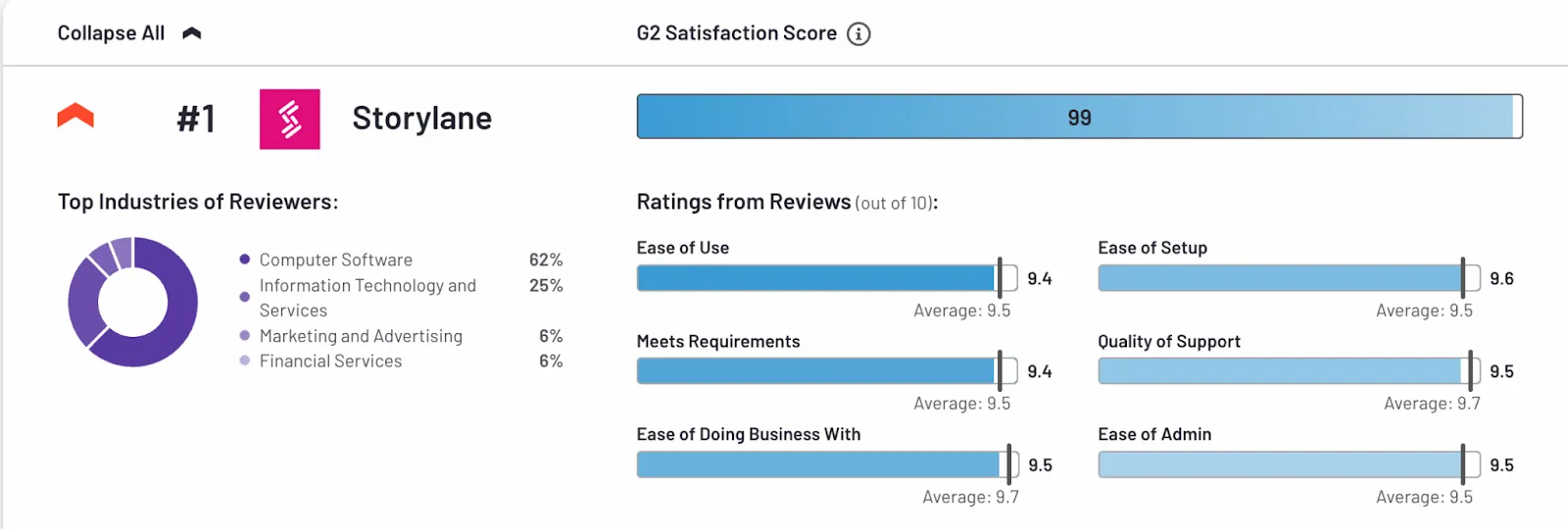
Storylane is an interactive demo platform that lets presales, sales and marketing teams build screenshot, HTML, video and sandbox demos from one workspace. The difference from Demostack is breadth over depth: instead of one environment that does everything, you pick the lightest format that does the job.
Key capabilities
- Multiple demo types: screenshot demos for quick overviews, HTML demos for high-fidelity click-throughs, video demos built from existing recordings, and sandbox demos for live, personalized environments.
- Personalization tokens: swap names, logos and currencies so an AE can tailor a master demo without rebuilding it.
- AI help: AI-generated guides during capture, an AI HTML editor, AI voiceovers and video avatars, and translation into 27+ languages.
- Demo Hubs: curated collections of demos, videos and PDFs for a buyer or a buying committee.
- Analytics and integrations: completion, time spent and drop-off, Account Reveal for visitor de-anonymization, and HubSpot and Salesforce integrations.
Pricing (from storylane.io/plans): Free ($0, one published demo); Starter at $40 per seat per month billed yearly; Growth at $500 per month billed yearly with 5 seats and the HTML editor; Premium at $1,200 per month billed yearly with 10 seats, Demo Hubs and Salesforce; Enterprise is custom and includes sandbox demos.
Where it falls short: Storylane does not overlay your live product the way Saleo or Olto do, and sandbox demos are on the Enterprise plan. If your prospects must see real backend behavior on every call, that matters.
Best for: SE and presales teams that want AEs to self-serve personalized demos, and want to start small and expand.
2. Reprise: closest one-to-one Demostack alternative
If you want to replace Demostack with something structurally similar, Reprise is the closest match. Reprise Replicate clones core application functionality down to the code level, and the rest of the suite fills in around it.

Key capabilities
- Replicate: application cloning for sandbox-style demos.
- Reveal: data injection that overlays prospect-specific information on your real application.
- Replay: captured product tours and guided demos.
- Demo Flows and Deal Rooms: stitch demos, video and content into one buyer journey.
- Security: SOC 2 Type II certified, with Salesforce, HubSpot and Marketo integrations.
Pricing: not public. Reprise describes a single annual platform fee plus per-user licenses, and asks you to request pricing.
Where it falls short: it is an enterprise platform with an enterprise buying motion, so it is a lateral move on budget and process rather than a simplification.
Best for: enterprise SE teams that want Demostack-style cloning plus live data injection from one vendor. See Reprise vs Demostack for the detailed head-to-head.
3. Saleo: best for live demos on your real product
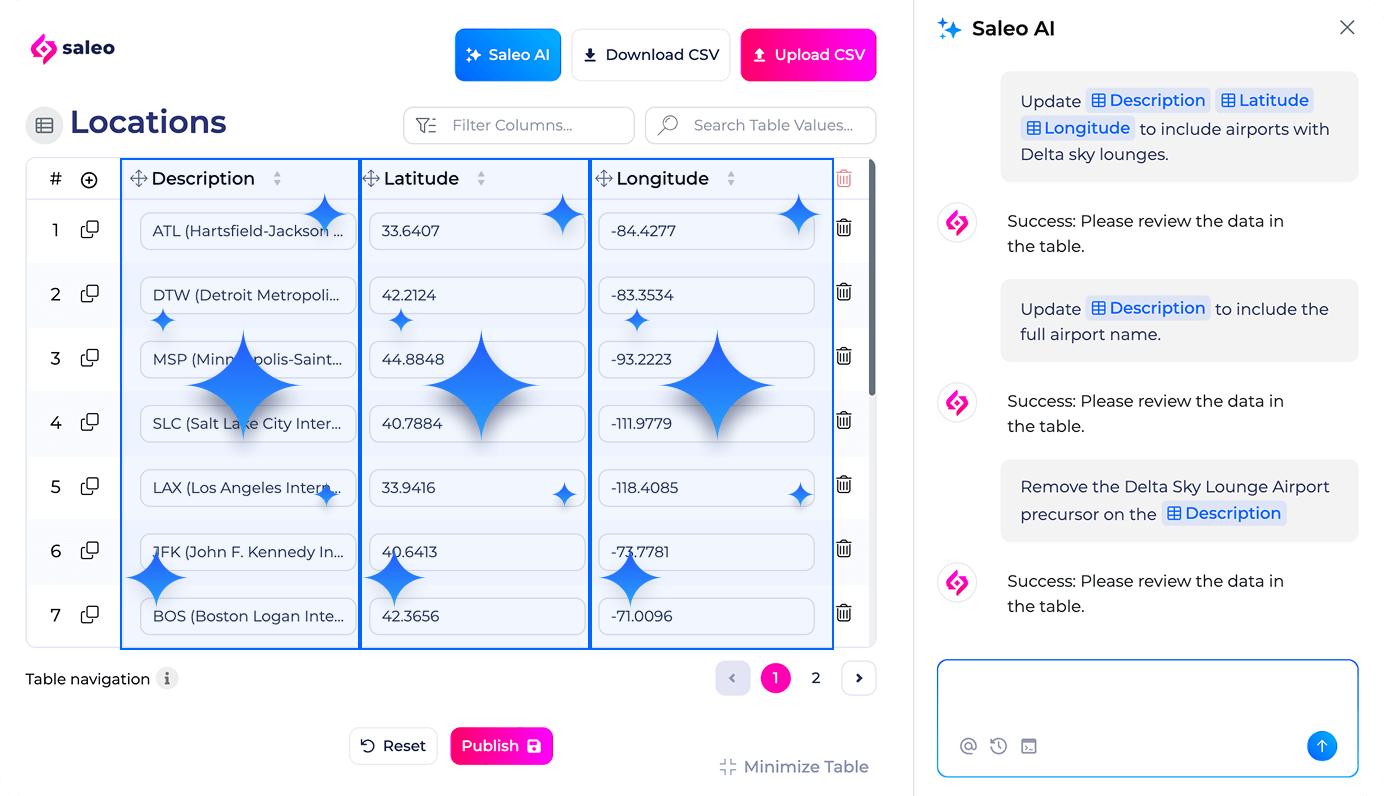
Saleo takes the opposite approach to cloning. Instead of copying your product, it overlays your real application during live demos so prospects see your actual product with clean, relevant data.
Key capabilities
- Saleo Live: AI-powered data injection and text and image overlays on your live product.
- AI Demo Agent: autonomous demo delivery for discovery conversations.
- Capture: interactive product tours with tooltips, dialogs and image replacement.
- Partner Portal: branded demo experiences for resellers and channel partners.
- Chrome extension for in-product demo creation, plus a Zapier integration.
Pricing: not public; all products route to "Request Pricing."
Where it falls short: because it runs on your live product, the demo is only as stable as the instance underneath it. It is built for live calls more than for async, self-serve demos.
Best for: teams whose buyers need to see the real application during a live call. We compare it directly in Saleo vs Storylane.
4. TestBox: best for sandboxes on real product instances
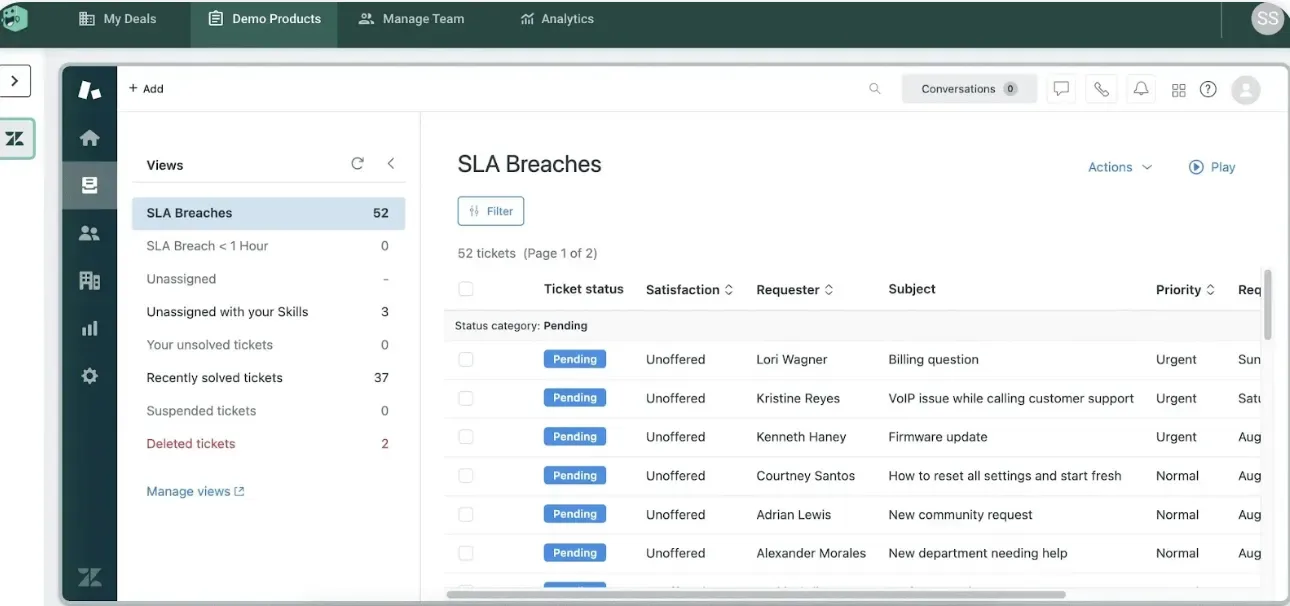
TestBox runs demo environments on real instances of your product and fills them with AI-generated, realistic data, so a sandbox feels like a lived-in account rather than an empty shell.
Key capabilities
- AI-generated demo data that matches the industries and personas you sell to.
- Seamless data updates that keep environments refreshed with current information.
- Lifelike user simulation that adds realistic activity to an environment.
Pricing (from testbox.com/pricing): the Platform Standard plan is $44,750 per year and includes 15 user seats, with additional users at $1,200 per year; Enterprise is custom. TestBox also sells standalone data generation plans from $0 to $400 per month.
Where it falls short: the platform entry price is a real commitment for a small SE team, and it is focused on environments rather than lightweight tours.
Best for: teams that want sandbox realism on actual product instances.
5. Walnut: best for sales-led teams that want demos and sandboxes in one tool
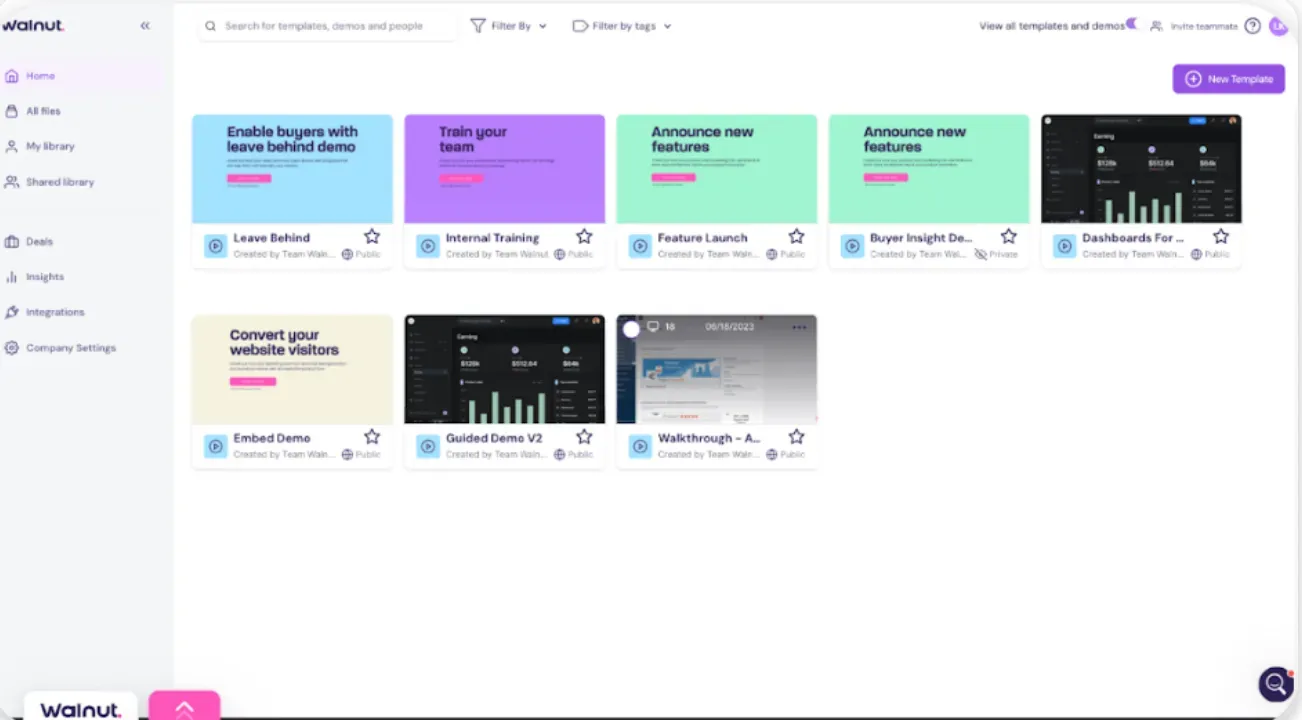
Walnut builds interactive demos for sales and marketing teams, and its higher tiers add sandbox demos, video overlays and AI avatars. It is a middle ground between simple tours and full environments.
Key capabilities
- Unlimited demos with AI Mode and Playlists on every plan.
- Sandbox demos, video overlays and AI avatars on the Accelerate plan.
- Digital Sales Rooms and a Data API on the Scale plan.
- CRM integrations with HubSpot and Salesforce across plans.
Pricing (from walnut.io/pricing): Ignite is $575 per month billed annually (3 editor and 3 presenter seats); Accelerate is $1,550 per month billed annually (6 and 6 seats); Scale is custom. Plans also include AI credits, with add-on packs available.
Where it falls short: sandbox capability starts at the second tier, and the credit-based AI model is one more thing to forecast.
Best for: sales-led organizations that want one vendor for demos and sandboxes.
6. Demoboost: best for presales teams that want published pricing
Demoboost is a demo creation and delivery platform for revenue teams, with HTML, screenshot, video, sandbox and mobile demos, plus support for live demos.

Key capabilities
- Unlimited HTML, screenshot and video demos.
- Sandbox environments and mobile demos.
- Guided product tours, demo galleries and live demos.
- Revenue Intelligence analytics that connect demo activity to pipeline and buyer intent.
Pricing (from demoboost.com/pricing, billed annually): Start Up $375 per month, Essentials $600 per month, Growth $1,200 per month, Enterprise custom.
Where it falls short: a smaller vendor than Demostack or Reprise, so check integration depth and support coverage against your stack.
Best for: mid-market presales teams that want a broad feature set at a visible price.
7. CloudShare: best for complex virtual environments and POCs
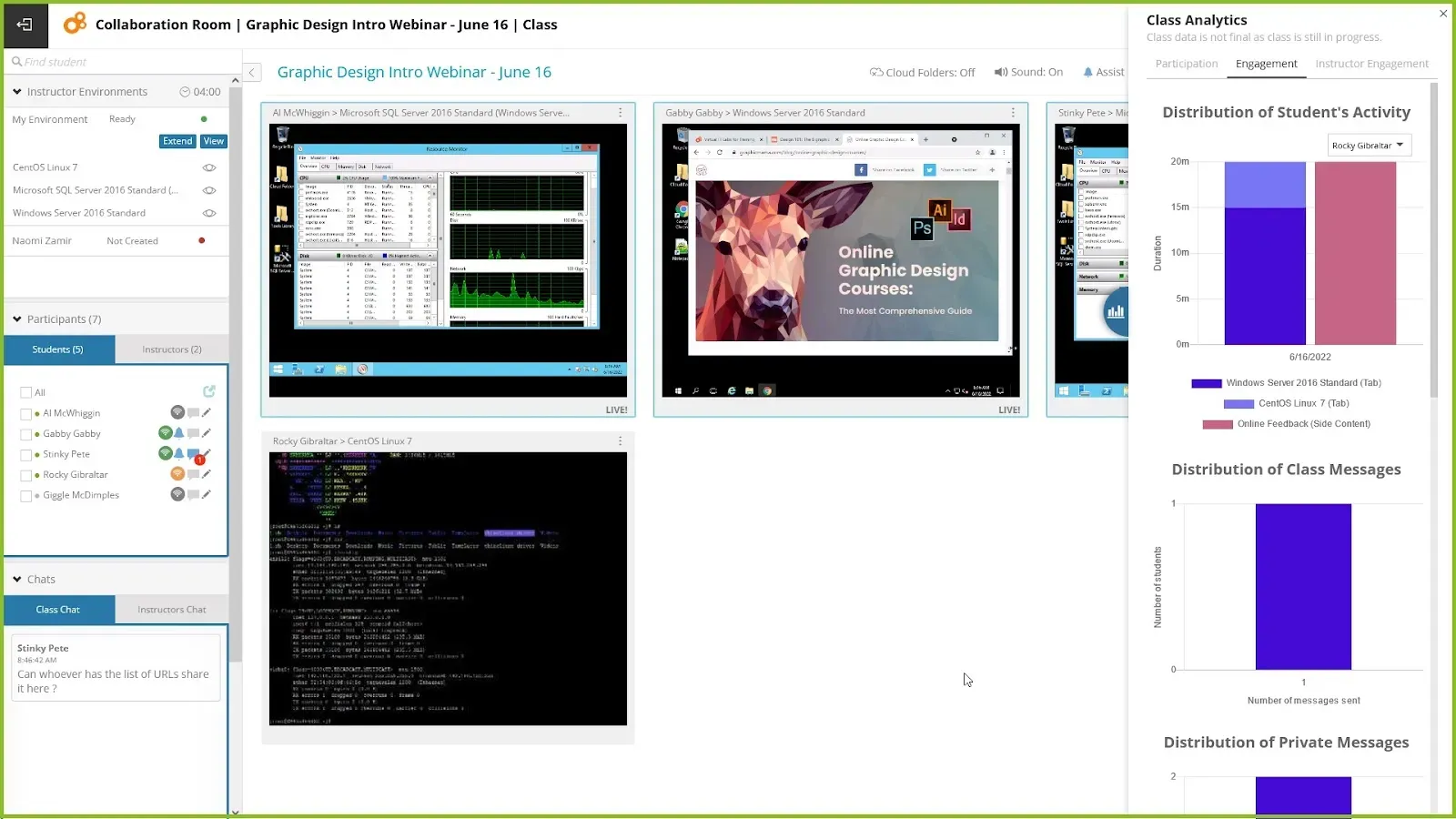
CloudShare provides full virtual environments rather than front-end clones. That makes it a fit when your "demo" is really a multi-application stack, a proof of concept or a hands-on lab.
Key capabilities
- Sales enablement environments for POCs, demos and channel sales.
- Virtual training labs for onboarding and self-paced learning.
- Cybersecurity training environments.
- Template library and over-the-shoulder monitoring, with unlimited user access.
Pricing: not public. CloudShare describes simple, flat pricing and asks you to book a quote.
Where it falls short: real infrastructure is overkill for click-through demos, and it is not designed for website or email-embedded tours.
Best for: enterprises selling complex or legacy software where buyers need the whole stack.
8. Olto: best for AI-driven live demos without backend changes
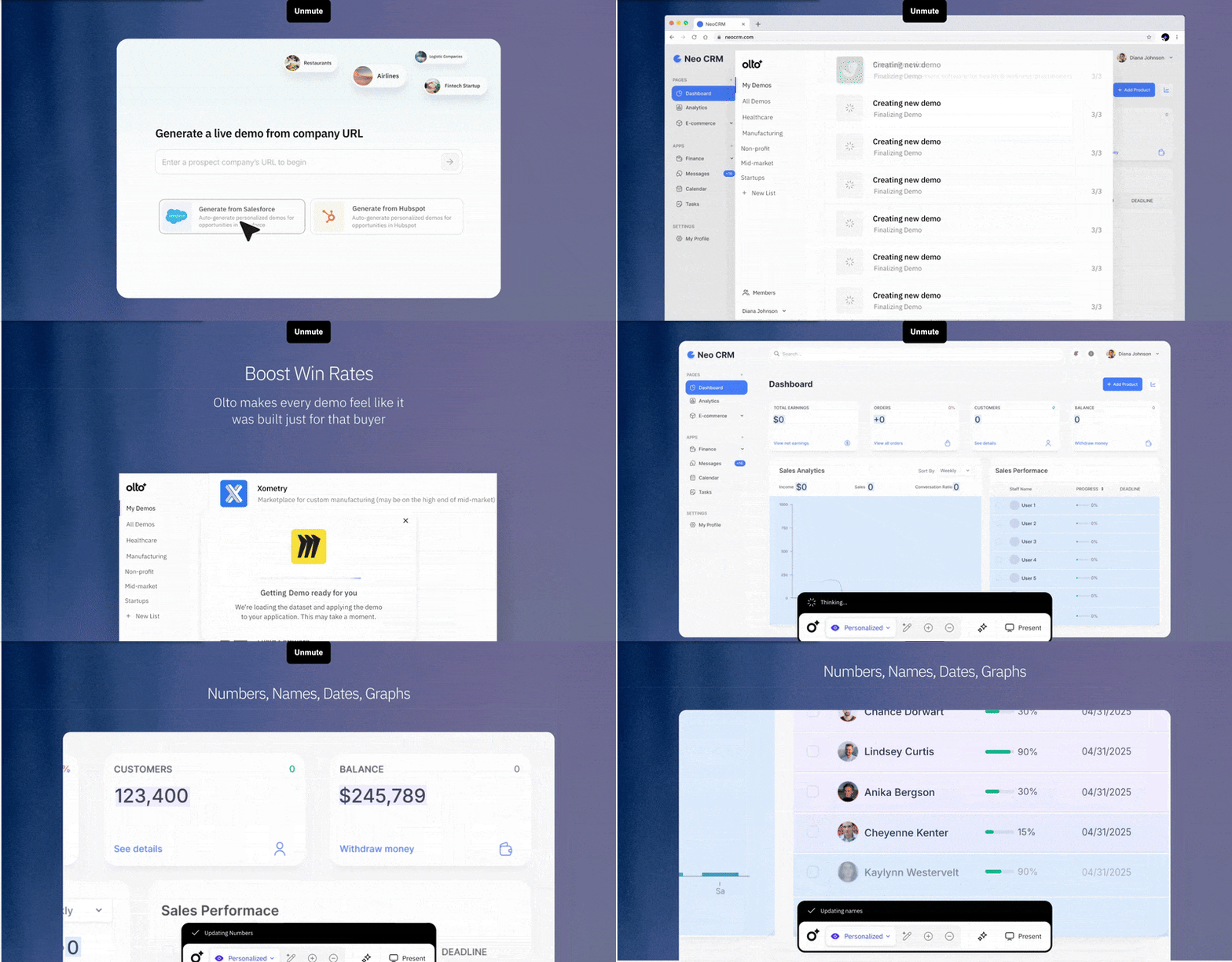
Olto is an AI-native demo platform that works as a front-end overlay on your product. It does not require backend API changes, and it generates demos, sandboxes, videos and guides from one product-trained model.
Key capabilities
- Live demos with data injection using synthetic, context-appropriate data.
- Data overlay for copy, numbers, images and charts.
- AI demo agents that run personalized demos around the clock and route the next step.
- Product videos, tours and how-to guides generated from the same model.
Pricing: not public; Olto asks you to book a demo. Olto says implementation takes less than a week.
Where it falls short: it is a younger platform, and an overlay is not the same as a fully cloned environment for deep technical evaluations.
Best for: SE teams asking for tools like Olto or Demostack to cut demo prep time on live calls.
Storylane vs Demostack: which is right for your team?
This is the question behind searches like "Storylane or Demostack for my team," so here is the honest answer.
Choose Demostack if:
- Your product's value only shows up through complex data relationships and backend behavior.
- You have SEs or demo engineers who will own and maintain cloned environments.
- You are buying for a large team and are comfortable with a quote-based enterprise process.
Choose Storylane if:
- You want AEs to clone a proven master demo, personalize it with tokens and send it without SE help.
- You need different formats for different stages: a website tour, a follow-up demo, a Demo Hub for the buying committee and a sandbox for late-stage evaluation.
- You want to start on a published plan and prove value before an enterprise commitment.
If you decide to move, our guide on how to switch from Demostack to Storylane walks through the migration.
How to choose a Demostack alternative: a decision framework for SE teams
Instead of ranking tools in the abstract, match the tool to the job your demos do. This is the same lens we use in our guide to demo automation tools and their real tradeoffs.
| If your main need is | Start with | Why |
|---|---|---|
| Reusable demo templates AEs can personalize | Storylane, Walnut | Master demos plus tokens let reps tailor without rebuilding |
| A one-to-one replacement for cloned environments | Reprise | Replicate is the closest structural match to Demostack |
| Live calls on the real product | Saleo, Olto | Overlays keep the real app while cleaning up the data |
| Sandbox realism with generated data | TestBox | Real product instances plus AI data generation |
| Multi-application stacks, POCs and labs | CloudShare | Full virtual environments, not front-end clones |
| Broad features at a published price | Demoboost, Storylane | Both publish tiered plans you can compare before a call |
Three questions to answer before any vendor conversation:
- Who builds and who personalizes? If SEs build and AEs personalize, test that exact workflow in the trial.
- Which stage are you fixing? Top-of-funnel tours, mid-funnel follow-ups and late-stage evaluations need different formats.
- Who maintains it after your next release? Ask every vendor what happens to existing demos when your UI changes.
Where Storylane fits (full disclosure)
We built Storylane for teams that want hands-on demos without an engineering project. Its strength is format range and speed: capture your product once, publish a screenshot or HTML demo, personalize it per account, bundle demos in a Hub and track engagement. For late-stage technical evaluations, sandbox demos are available on the Enterprise plan.
Where we are not the right pick: if every demo must run on your live backend, an overlay like Saleo or Olto is a better fit, and if your buyers need a full multi-application stack, CloudShare is built for that. If you are also weighing tour-first tools, our Navattic alternatives comparison covers that side of the market.
The bottom line
Demostack is a capable product-cloning platform, and for complex enterprise products with dedicated demo engineers it remains a reasonable choice. But most teams searching for Demostack alternatives are not trying to recreate it. They are trying to give AEs self-serve, personalized demos, take load off SEs and buy at a price they can see.
Pick Reprise if you want the closest like-for-like swap, Saleo or Olto for live-product overlays, TestBox or CloudShare for environment realism, and Storylane or Demoboost if you want several demo formats on a published plan.
Want to see how Storylane would handle your demo motion? Book a demo with our team.
FAQ: Demostack alternatives
What can I use instead of Demostack?
The closest like-for-like option is Reprise, whose Replicate product clones application functionality. If you do not need a full clone, Storylane, Walnut and Demoboost cover interactive and sandbox demos, Saleo and Olto overlay your live product, and TestBox and CloudShare provide full environments.
How much does Demostack cost?
Demostack does not publish pricing. Its pricing page routes you to a call with the team, so treat any number you see online as an estimate and request a quote.
Who are Demostack's main competitors?
The main Demostack competitors are Reprise, Saleo, TestBox, Walnut, Demoboost, CloudShare, Olto and Storylane. Consensus also competes for demo budget; see our Demostack vs Consensus comparison.
Which Demostack alternative is best for fast-growing SE teams?
For fast-growing SE teams the priority is usually letting AEs personalize demos without SE help while keeping cost predictable. Storylane, Walnut and Demoboost publish tiered pricing and support reusable master demos; Reprise and TestBox suit teams that need environment-level realism and have the budget for it.
Is there a free Demostack alternative?
Yes. Storylane has a free plan with one published screenshot or video demo and unlimited views. Free tiers are for trying a workflow, not for running a full presales program.
Do I need engineering resources to build product demos?
Not for most formats. Capture-based tools like Storylane and Walnut are built for non-technical teams. Cloned environments and full virtual environments usually need more setup and ongoing ownership.
Sources
All vendor details were checked on each vendor's own site on October 1, 2026.